OVERVIEW
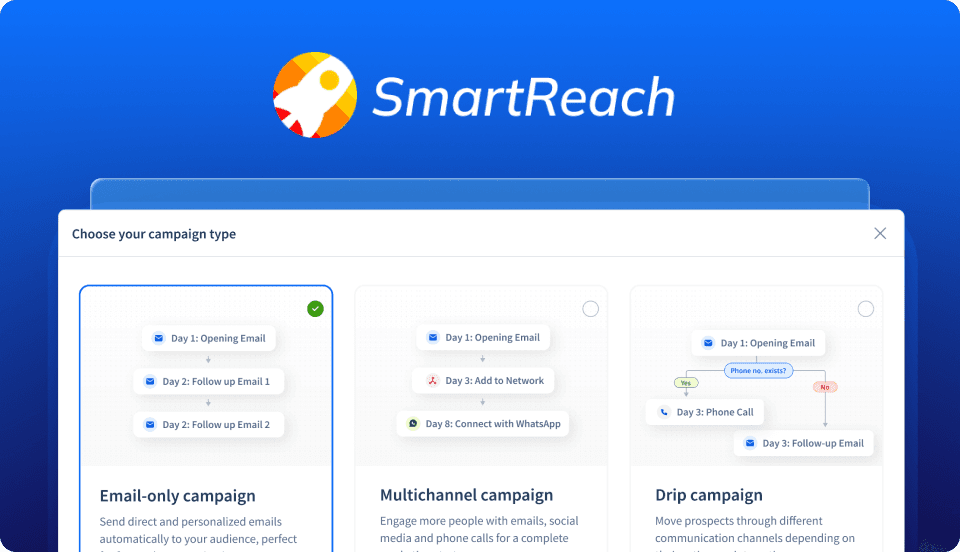
SmartReach runs high-volume outbound campaigns for sales teams. But manual campaign setup was forcing users to spend more time structuring sequences than actually selling.
The challenge was to speed up campaign creation with AI automation without making users feel like they'd lost control of their messaging.
LOCATION
Hyderabad
TIMELINE
4 months
TOOLS
Figma, Inspectlet
ISSUE
Users struggled with turning their outbound strategy into structured campaigns. Starting from a blank workflow created hesitation and slowed campaign launches.
DESIGN
I redesigned the campaign creation flow around guided, AI-assisted inputs keeping users in control of targeting, tone and sequencing. Our first instinct was full automation., but testing killed it. Users felt the tool was writing for them, not with them. The final system lets users set the structure, while AI fills the gaps.
RESULT
Customer drop-off
Campaign Creation Vol.
Click-through rate

NEEDS
Fast campaign setup without sacrificing personalization quality.
Positive replies to prove competence
PAINS
Spent excessive time refining opening lines
Fear of making mistakes
More time spent on learning than selling

NEEDS
PAINS
UX CHALLENGE
I went in expecting a tooling problem but found a trust problem instead. Early research showed users wanted help with campaign structure and messaging, but fiercely resisted workflows that automated too much too quickly. The challenge was making AI feel like active assistance, not an operational takeover.
Automation That Earns Its Place
Segmenting by comfort level
Before designing the workflow, I had to answer a harder question: whose definition of "helpful" was I designing for?
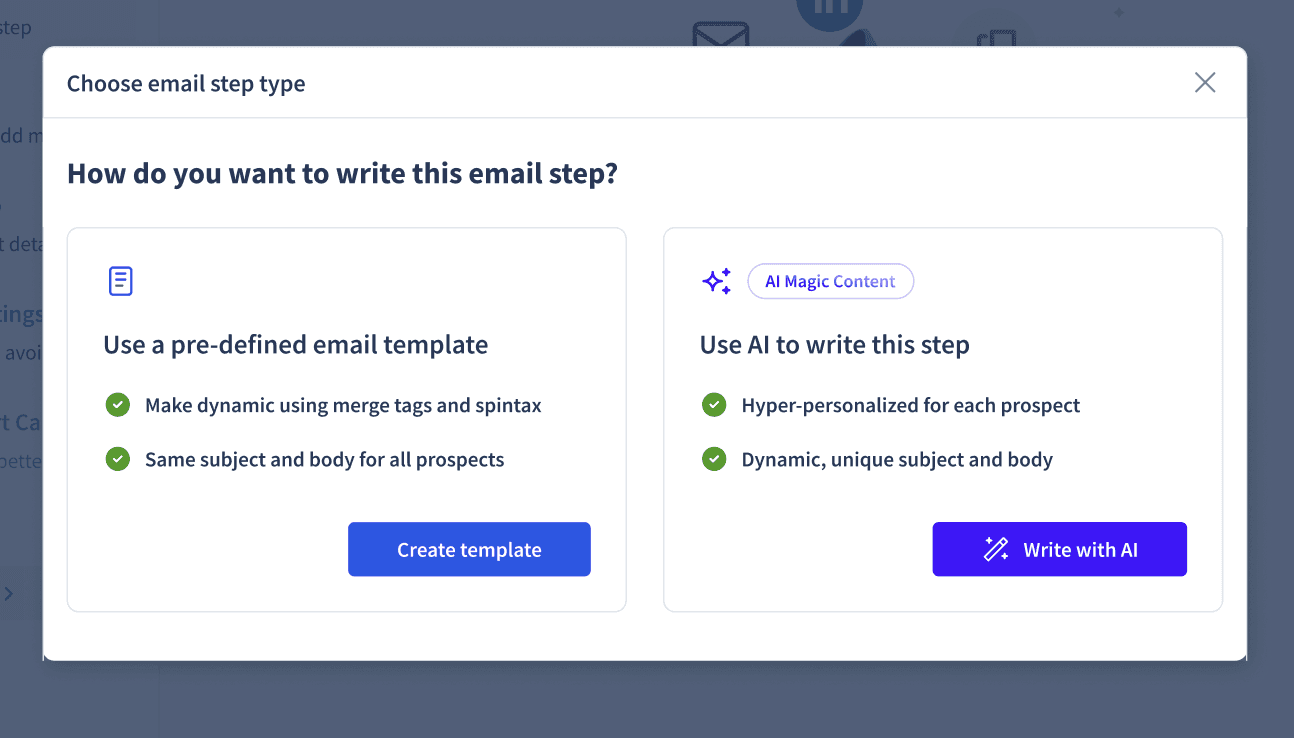
Research revealed a clear divide. Some users wanted full automation, while others wanted to stay firmly in control. Giving them a choice upfront eliminated early hesitation and made the experience feel predictable from the start.

Conversational Syntax. Not Complex Forms.
Replacing multi-step forms with guided sentence-building on a single screen made it easier for users to define targeting, tone, and messaging without losing their train of thought.

From Authoritative to Assistive
Once users owned the high-level campaign structure, resistance to step-level automation disappeared. Control over the outreach strategy made the AI feel assistive, not authoritative.
Taming Blank-Page Friction
A three-step wizard turned an open-ended task into something reps could complete in minutes.
The challenge wasn't generating content. It was gathering the context needed to do it well. Guided inputs helped users provide the right information without slowing them down.
STEPWISE FLOW
I broke the complex creation process into a three-step progress bar. This progressive disclosure kept users focused on one task at a time.
GUIDED INPUTS
Open-ended prompts created inconsistent outputs during testing. Replacing them with constrained prompts improved the output quality.
BUILT-IN SUPPORT
I used strategic helper text and placeholder examples to eliminate guesswork, actively teaching users what effective B2B messaging looks like.

What Post-Launch Revealed
Post-launch analytics & usability testing revealed 2 critical issues that needed immediate refinement to balance user needs with business constraints.
Iteration 1: The Cost of Free-Tier Friction
INSIGHT
I didn't anticipate this one. Free tier users repeatedly regenerated outputs to test minor variations in tone and personalization, driving up infrastructure costs without ever launching a campaign.

UX DECISION
Instead of restricting campaign creation access, AI-assisted step generation was positioned as a premium feature after users had already experienced its value.
Iteration 2: The Users Who Still Got Stuck
INSIGHT
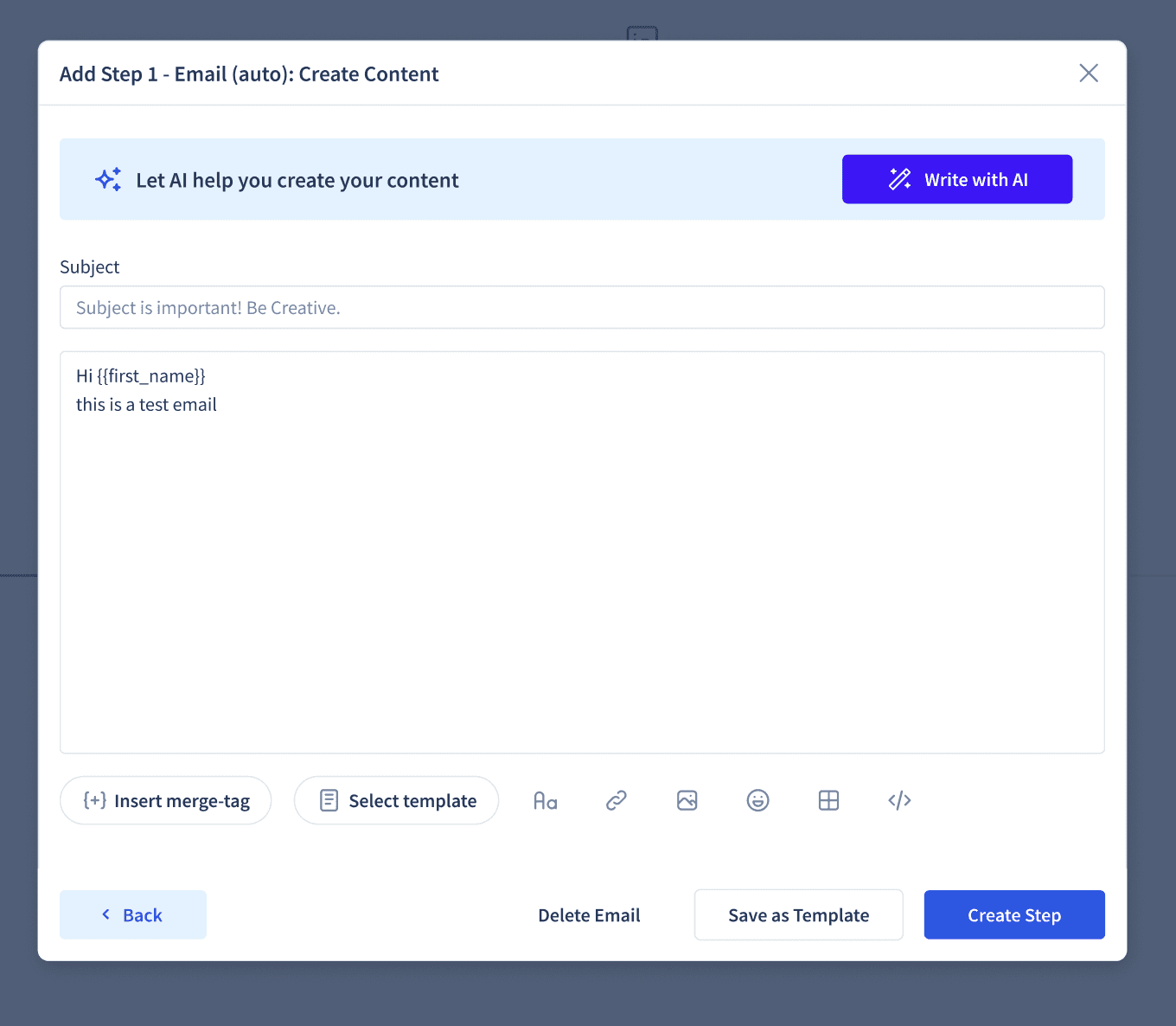
Manual-path users still hit a wall at content drafting because the structural guidance was removed too early.
UX DECISION
Contextual AI assistance was integrated into the manual flow to support users only when they got stuck, instead of forcing upfront automation.
Impact
Within 6 weeks of launch, first-time campaign completion rose 40% and setup abandonment dropped 25%.
Campaign Setup Abandonment
Hard-Won Takeaways
Visible control builds AI trust
Users trusted the AI-generated content more when they shaped the strategy first.
The real drop-off wasn't visual
Campaign setup uncertainty drove more drop-off than any visual complexity issue.
Confidence Comes from Control
Instead of forcing a new workflow, the hybrid approach let users adopt AI at their own pace while preserving existing outbound processes.
Previous
Next CaseStudy →