OVERVIEW
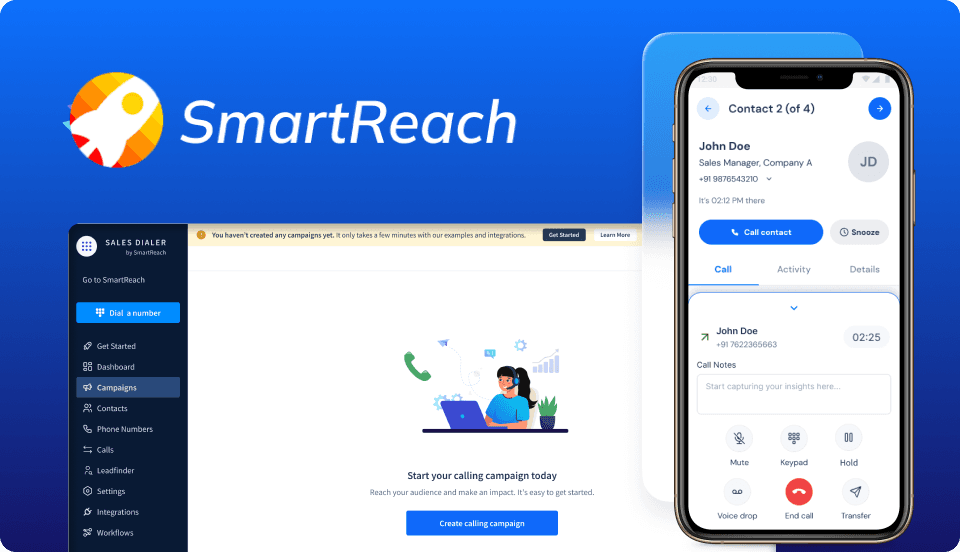
SmartReach Calling App is an outbound calling platform for high-volume sales teams. However, agents were losing momentum by switching between dialers, CRMs and note-taking tools.
The challenge was consolidating everything without sacrificing the control experienced teams relied on.
PLATFORMS
Desktop & Mobile
TIMELINE
3 months
TOOLS
Figma, Miro, Hotjar
DESIGN
I unified dialing, call disposition, note-taking, and callback scheduling into a single workspace so agents could complete the full post-call workflow without switching tabs.
I intentionally avoided aggressive automation during live calls. Testing revealed that agents fundamentally distrusted workflows that stripped away manual control during critical customer interactions.
RESULT
40% reduction in call campaign setup time.
Increased call completion from 56% to 80% in just two weeks.
90% of users reported the UI was easy to use, resulting in a 4.7/5 satisfaction score.
Through behavioral research and mapping, the core friction points for our two distinct user groups became immediately clear.

They manage 100-200+ calls a day and are paid on commission. Their primary pain point was the constant context switching needed to update contact records & write notes across scattered tools.

Accountable for team ROI, managers were flying blind. Fragmented agent workflows caused critical gaps in data logging, stripping them of real-time visibility and forcing their coaching to be purely reactive.
THE UX CHALLENGE
Bring dialing, note-taking, and disposition logging into one screen without slowing agents mid-call.
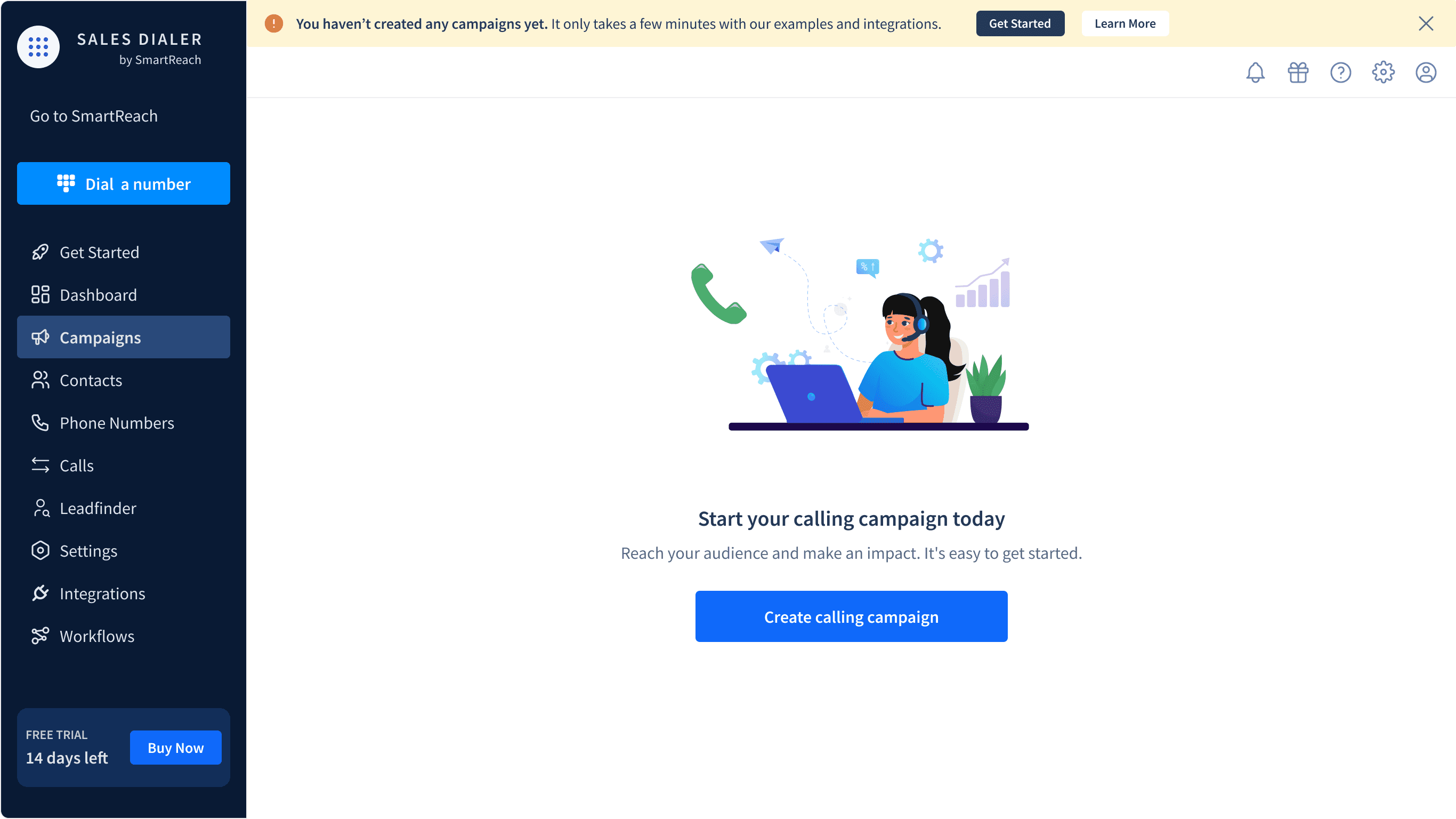
3 Steps to Start Calling
To streamline onboarding, I broke the campaign creation process into 3 steps: Add Number, Add Contacts, and Campaign Settings. Mandatory fields and live CRM integrations kept the prospect data clean without forcing manual checks.
Unifying the Call Workspace
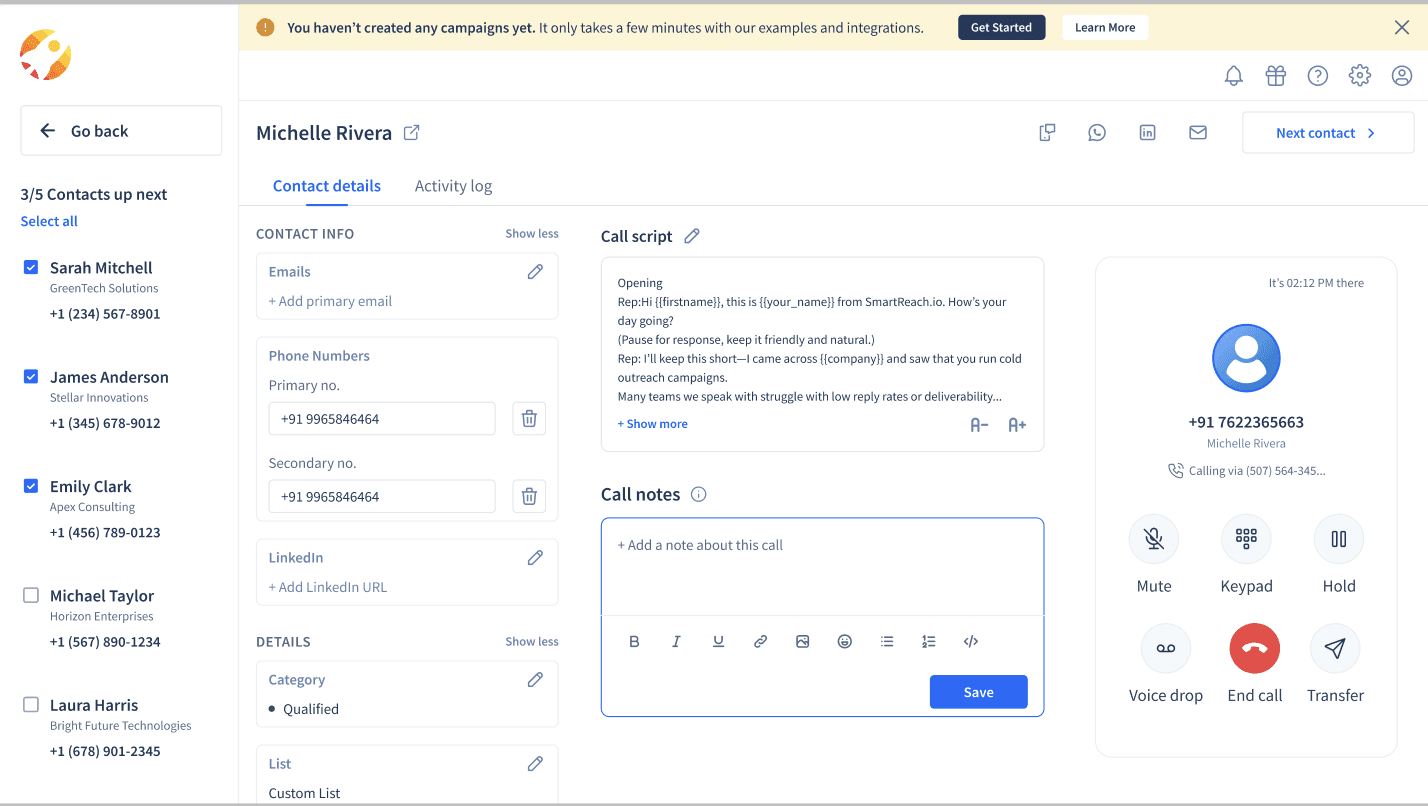
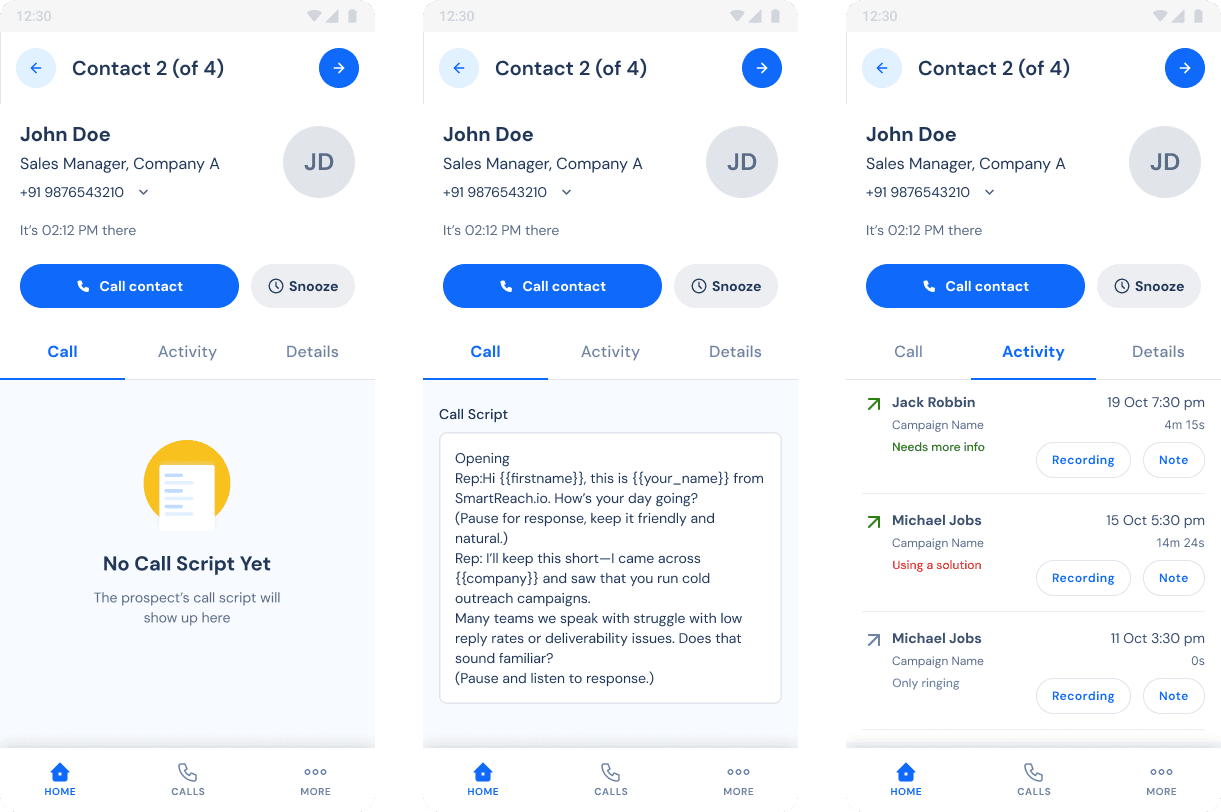
Agents were previously copying notes between multiple tools while simultaneously tracking prospect details. The redesigned workspace kept the call queue and script persistently visible throughout the call so agents could stay in flow.
We explored floating CRM overlays early on, but they created too much visual noise during active calls. A fixed layout reduced scanning effort and kept agents focused.
USER FLOW
Live Visibility for Leaders
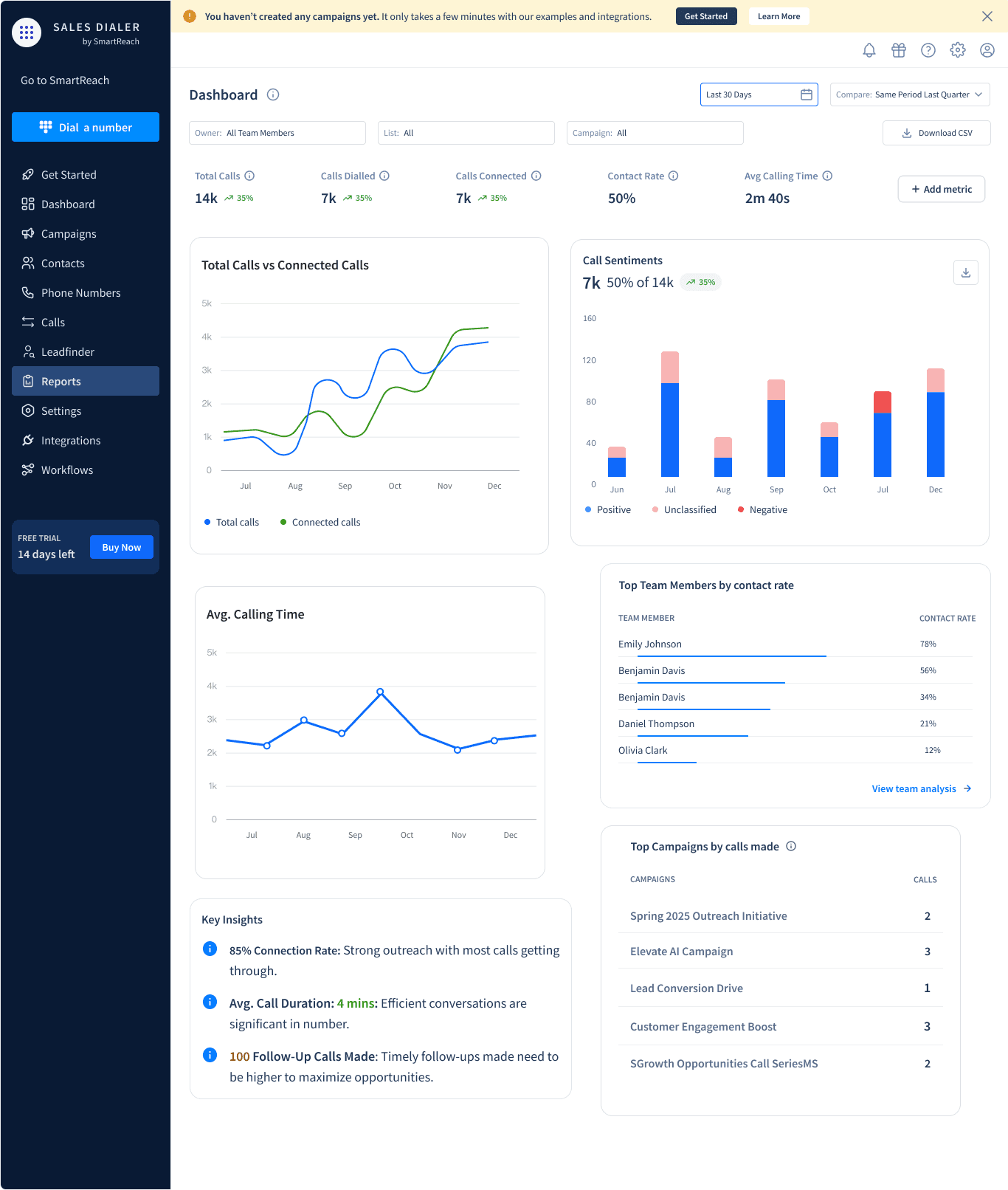
Managers needed to spot underperforming campaigns quickly during live outreach sessions, not after. While early dashboards exposed too many metrics at once, the final version cut the noise by prioritizing real-time signals over exhaustive reporting.
Mobile Flexibility
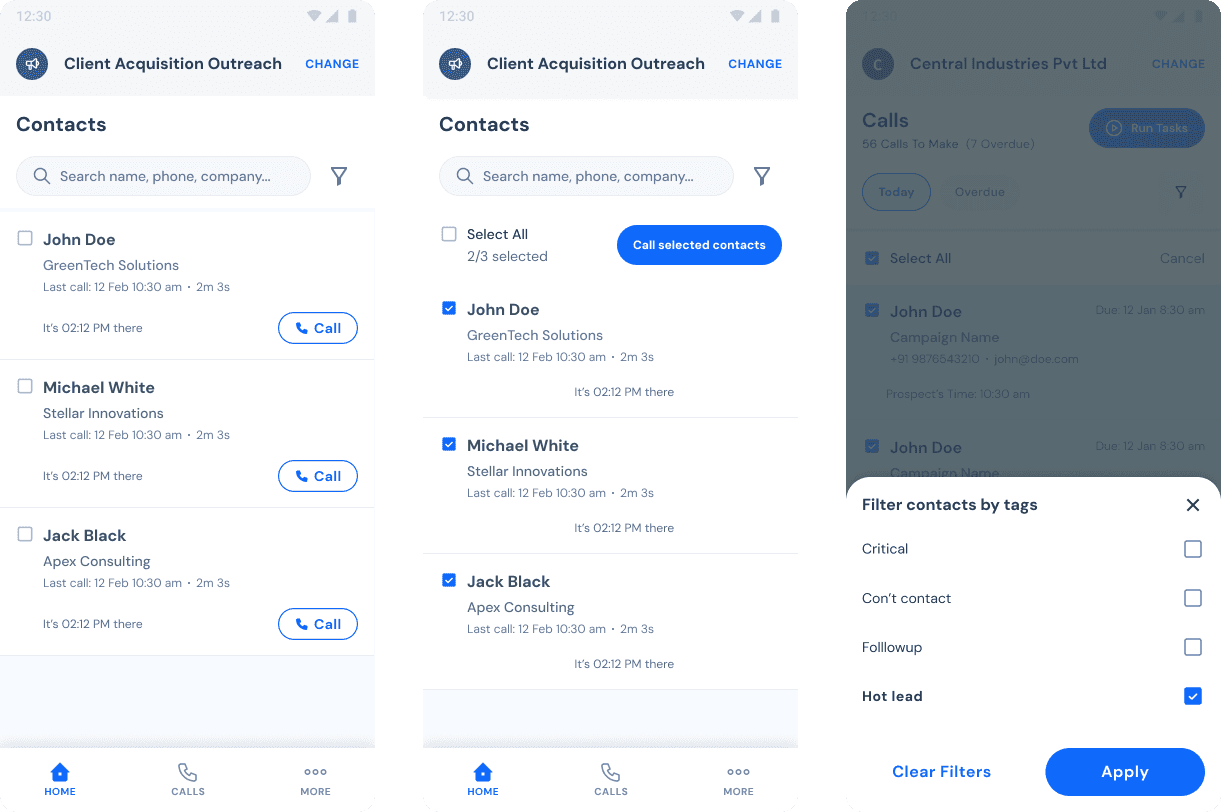
Agents needed mobile flexibility, but existing tools were too slow. I designed the mobile app for speed while mirroring core desktop features to ensure cross-device parity.
ONBOARDING
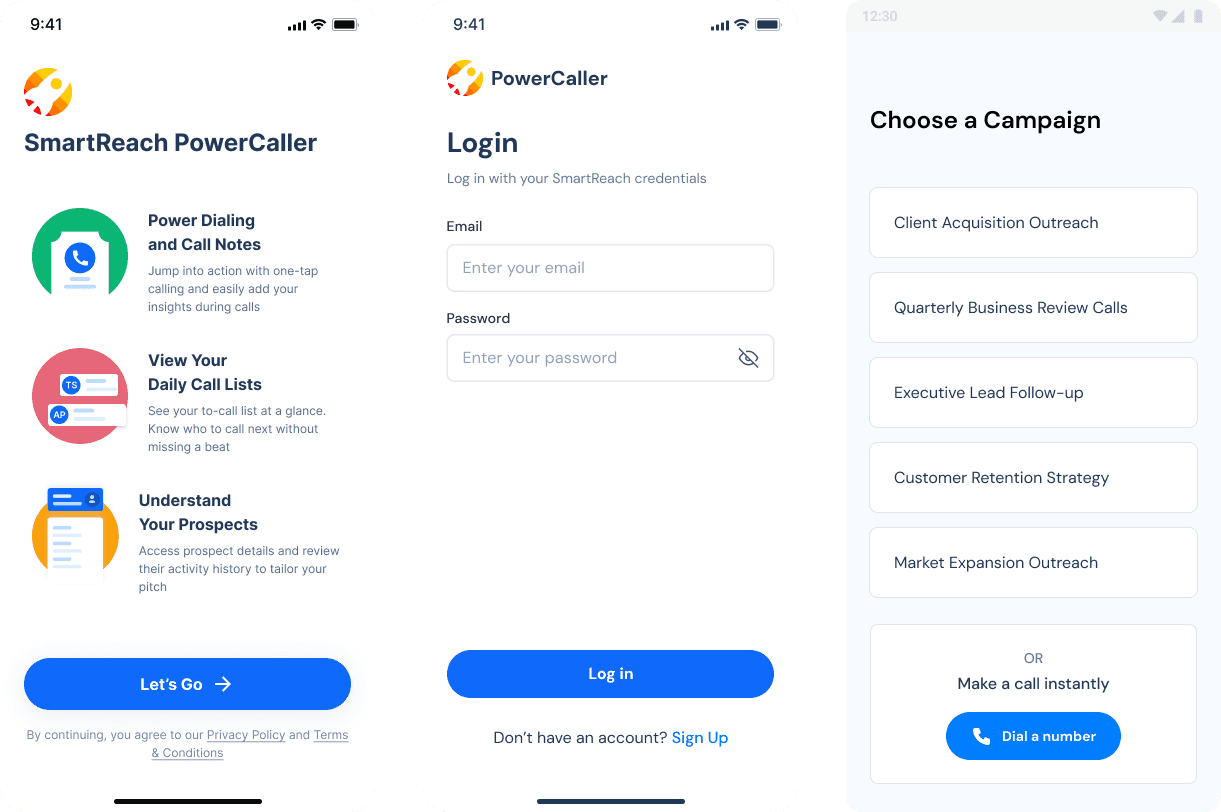
Maintaining Calling Momentum
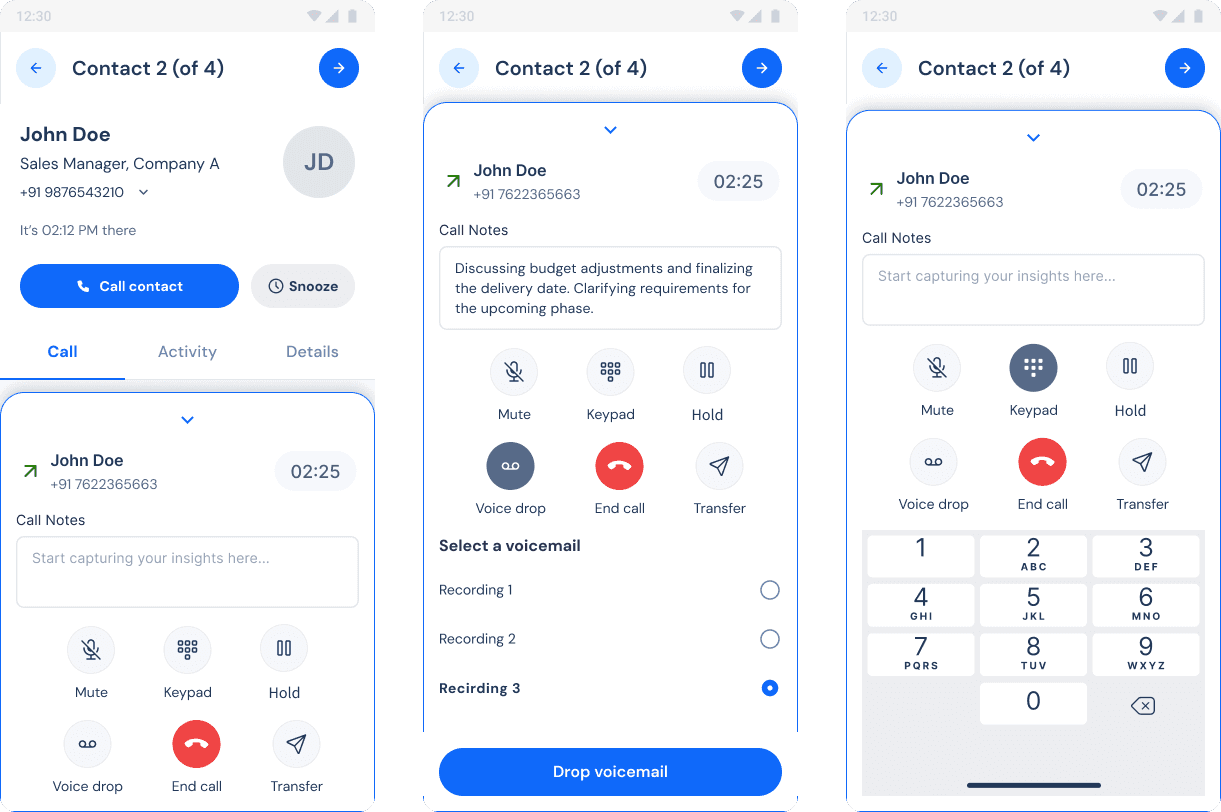
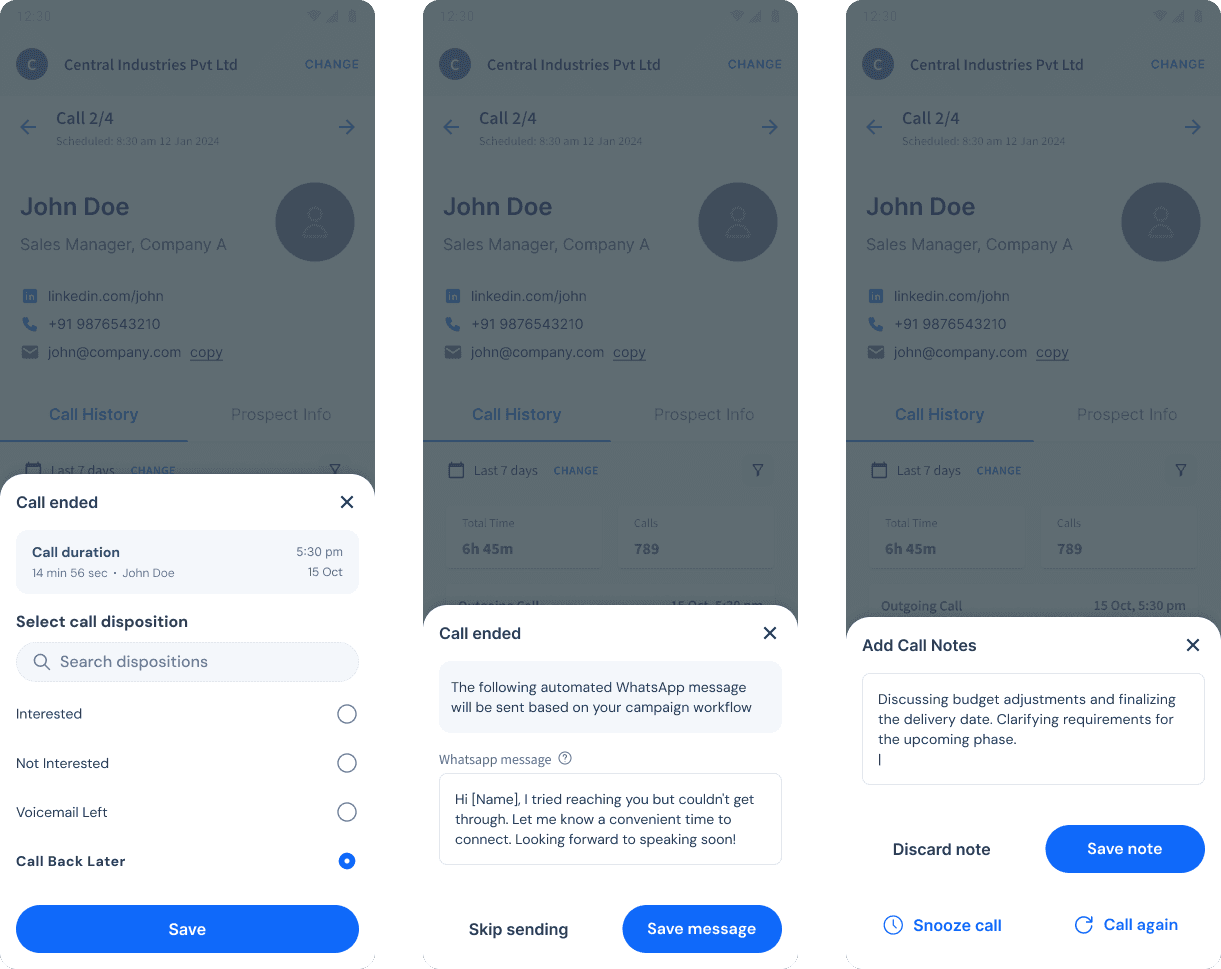
On mobile, agents needed speed above all, so voicemail drops and post-call logging were reduced to one or two taps. Advanced options were intentionally limited because continuity mattered more than feature parity.
POST-CALL UX
Initially, post-call actions were handled on separate screens, but testing showed even short interruptions between calls significantly hurt dialing momentum.
The Results
Fewer interruptions across the full calling lifecycle, from campaign setup to post-call logging, translated directly into better adoption and reporting quality.
Setup Time Dropped by 40%
Three steps instead of one long form ensured reps know exactly where they were and what came next.
Task Completion Rose to 80%
For the first time, agents could dial, note, and log, without switching a single tab.
Mobile Became the Default
Within two quarters of migrating core desktop workflows to mobile, it became the default tool for remote agents.
In Their Own Words
"Before this, I kept switching between the CRM and my notes during every call. Now I can stay inside one screen and move through calls much faster."

Sarah M
Sales Development Rep.
"The live dashboard made it easier to spot which reps were struggling before campaigns were already lost by the end of the day."
Richard J.
Sales Manager
Lessons Learned
Small interruptions compound fast
Reducing post-call friction by even a few seconds had measurable impact across hundreds of daily calls.
Persistent context keeps agents sharp
Keeping prospect history, scripts, and call controls in one view reduced fatigue and improved call quality.
Live data changes how managers manage
When managers could see performance mid-session, they stopped writing post-mortems and started intervening while the calls were still happening.